


![AutoFull G7 Ergonomic Gaming Chair [🍂Autumn Special Offer] AutoFull US](http://www.autofull.com/cdn/shop/files/gaming_chair_1_c5f546de-af69-4926-b5e4-a859ea893772.jpg?v=1777458714&width=70)


![AutoFull G7 Gaming Chair & A4 Pro Gaming Desk Bundle [💥Combo Off] AutoFull US](http://www.autofull.com/cdn/shop/files/20251109-151002.jpg?v=1762672486&width=70)
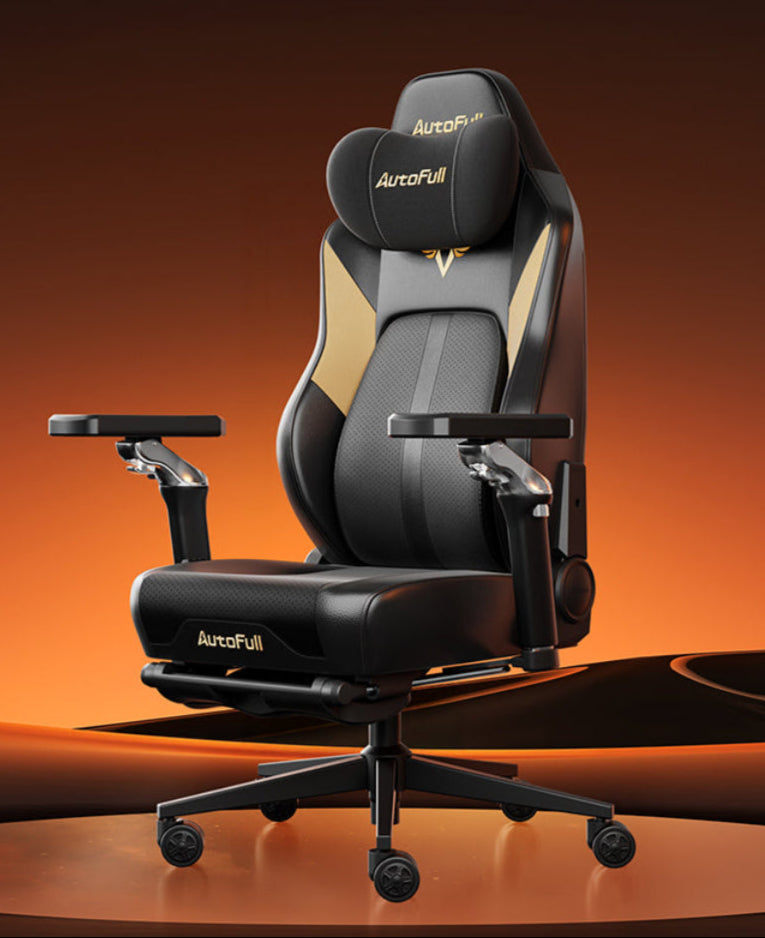


Anterior Pelvic Tilt (APT) is a common postural issue where the front of your pelvis rotates forward, causing severe lower back arching. Sitting in an unsupportive gaming setup for hours drastically accelerates this condition, leading to chronic muscle stiffness. This guide explains how poor seating habits impact your pelvis and provides actionable steps to correct your posture. Read on to discover how upgrading your equipment and daily stretching routines can effectively realign your spine.

Is Your Current Seat Ruining Your Posture
Spending hours in a heavily worn or poorly designed seat directly alters your physical spinal mechanics. Standard racing-style chairs often feature flat seat pans or overly aggressive side bolsters that restrict natural physical movement.
The Problem With Deep Seat Pans
When a seat pan is entirely too deep for your specific leg length, the back of your knees will hit the front edge of the cushion long before your lower back actually reaches the backrest. To compensate for this uncomfortable physical gap, you will naturally slide your hips forward and slouch down into the chair. This constant forward sliding forces your pelvis to tilt anteriorly. You are physically trading crucial lower back support for temporary leg comfort, which actively damages your spinal alignment over time.
The Impact Of Sagging Materials
Furthermore, if your seat cushion utilizes cheap foam that compresses and degrades after a few months, you will sink unevenly into the base of the chair. This severe lack of upward physical resistance forces your hip flexors into a constantly shortened, tight position while you sit. Eventually, these extremely tight hip flexors will pull the pelvis downward even when you stand up to walk. If you consistently experience lower back stiffness after an intense daily gaming session, your current hardware is actively reinforcing bad posture.
Why Gaming Chair Lumbar Support Is Essential
The human spine naturally curves inward at the lower back region. When you sit without adequate physical support, gravity pushes the spine outward, flattening this vital curve and rotating the pelvis forward into a dangerous tilt.
Maintaining The Natural Spinal Curve
High-quality gaming chair lumbar support is specifically designed to physically fill the empty space between your lower back and the rigid backrest. By pressing gently against the lumbar vertebrae, it prevents the lower back from collapsing backward into the chair. When the spine remains firmly locked in its natural S-curve, the pelvis naturally aligns in a healthy, neutral position. This neutral alignment stops the severe lower back arching associated with pelvic tilt.
Preventing Muscle Fatigue During Gameplay
Many budget chairs only include a soft, unstructured foam pillow that flattens instantly under your body weight. Effective gaming chair lumbar support must be adjustable in both height and depth to match the exact curvature of your individual spine. When the hardware properly supports your spine, your lower back muscles do not have to constantly contract to keep your torso upright. Preventing this rapid muscle fatigue directly stops the physical slouching that causes your pelvis to rotate awkwardly.
How Should Your Hips And Knees Be Positioned
Correct pelvic alignment always starts from the ground up. The specific way your feet and legs rest on the floor dictates the exact angle of your entire upper body.
The Standard Postural Rule For Seating
To properly fix pelvic tilt while seated at your desk, you must establish the ninety-degree postural rule. When seated, your feet should be completely flat on the floor, creating a perfect right angle at your ankles. Your knees must bend at exactly ninety degrees, and your hips should form a ninety-degree angle with your upright torso. More importantly, your knees should be perfectly level with, or slightly lower than, your hip joints.
The Dangers Of Dangling Feet
If your chair is adjusted too high and your feet dangle above the floor, the physical weight of your legs pulls your pelvis forward, instantly creating a severe anterior tilt. Conversely, if the chair is too low, your knees rise sharply above your hips, pushing all your upper body weight directly onto your tailbone and rounding your lower back. If your desk height forces your chair to be positioned too high, you must use a solid, angled footrest to re-establish the correct leg angles and successfully fix pelvic tilt at your workstation.

How To Choose An Ergonomic Chair Lower Back Pain Relief
Upgrading your hardware is absolutely crucial if your current setup is causing chronic daily discomfort. You must focus entirely on internal adjustment mechanics rather than flashy exterior aesthetics.
Adjustable Seat Depth And Tilt Mechanisms
When searching for the best gaming chair for back pain, you must prioritize models equipped with an adjustable seat depth slider. You need approximately two inches of physical clearance between the back of your knees and the edge of the seat pad to ensure proper blood flow without pulling your hips forward. Additionally, an excellent ergonomic chair lower back pain model should feature a synchronized tilt mechanism. This advanced technology allows the backrest to recline at a varying ratio compared to the seat base, keeping your feet perfectly flat on the floor while safely opening up your hip angle to relieve pressure.
Ditching The Rigid Racing Aesthetics
Avoid purchasing chairs with harsh bucket seat wings that heavily restrict your thigh movement. Restricting your legs forces you to sit in a rigid, static position for hours. The best gaming chair for back pain focuses heavily on customizable internal mechanics, such as built-in depth-adjustable lumbar dials and incredibly dense cold-cure foam. These features allow you to shift your physical weight naturally during long competitive sessions without ever compromising your vital pelvic alignment.
How To Correctly Use A Desk Chair For Back Pain
Purchasing highly rated hardware will not magically cure your posture if you continue to sit incorrectly. You must actively change your daily seating habits to utilize the equipment properly.
Sit Deep In The Seat Pan
You must always sit with your buttocks pushed completely back into the absolute deepest crease of the seat pan. If you sit on the front edge of a desk chair for back pain, you completely negate all the advanced ergonomic features built into the backrest. Sitting on the extreme edge forces your pelvis to tilt forward immediately because your spine has zero physical backing to rest against. You must trust the chair to hold your body weight.
Utilize The Recline Function Properly
Once your hips are fully pushed back, you must utilize the backrest effectively. Do not sit perfectly rigid at a ninety-degree angle for eight straight hours. Instead, unlock the specific tilt mechanism and recline slightly to a comfortable angle between one hundred and one hundred and ten degrees. This slight recline shifts the heavy gravitational pressure off your lower spinal discs and transfers it directly into the backrest of the desk chair for back pain. A true ergonomic chair lower back pain setup relies entirely on you letting the chair carry your physical body weight rather than relying on your easily fatigued core muscles.
Best Daily Stretches To Fix Anterior Pelvic Tilt
While excellent hardware provides physical support during your gaming sessions, you must actively reverse the deep muscle imbalances caused by prolonged sitting. When you sit for hours, your hip flexors shorten and tighten severely, while your glutes and abdominal muscles become stretched and weak.
Release Tight Hip Flexors
To effectively fix pelvic tilt, you must stretch the front of your hips every single day. Start with the kneeling hip flexor stretch. Kneel on one knee with your other foot flat on the floor directly in front of you. Keep your back completely straight, squeeze your glutes tightly, and gently push your hips forward until you feel a deep, pulling stretch in the front of your kneeling leg. Hold this static physical position for thirty to sixty seconds per side to lengthen the shortened muscle fibers.
Strengthen Weak Glutes And Core Muscles
Next, perform standard glute bridges to strengthen your posterior chain. Lie flat on your back with your knees bent and your feet firmly on the floor. Squeeze your glutes and lift your hips high toward the ceiling until your body forms a straight physical line from your knees to your shoulders. Lower yourself slowly and repeat for fifteen repetitions. Performing these exercises daily resets your internal muscle tension. When combined with proper gaming chair lumbar support, these physical stretches prevent your pelvis from ever rotating forward during long competitive matches.
FAQs about Chairs, Posture, and Back Pain
What Is the Best Chair to Buy for This Condition
The best gaming chair for back pain features highly adjustable built-in lumbar dials, customizable seat depth sliders, and a firm, flat seat pan. Models that offer synchronized multi-tilt mechanisms allow you to change your hip angle frequently, which effectively prevents spinal stiffness and anterior pelvic rotation.
How Do I Know if My Pelvis Is Tilted Forward
Stand with your back against a flat wall. Your heels, buttocks, upper back, and head should touch the wall physically. Slide your hand directly behind your lower back. If you can easily fit more than one hand's thickness in that specific gap, your spine is overarching significantly, meaning your pelvis is currently tilted forward.
Can New Hardware Fix My Posture Completely?
No piece of hardware can fix your posture alone. A high-quality desk chair for back pain provides the absolutely necessary physical foundation to maintain a neutral spine. However, if you suffer from a severe ergonomic chair lower back pain condition, you must actively combine the proper chair usage with daily targeted stretching, core strengthening routines, and taking brief breaks every single hour to stand and walk around your room.


