


![AutoFull G7 Ergonomic Gaming Chair [🍂Autumn Special Offer] AutoFull US](http://www.autofull.com/cdn/shop/files/gaming_chair_1_c5f546de-af69-4926-b5e4-a859ea893772.jpg?v=1777458714&width=70)


![AutoFull G7 Gaming Chair & A4 Pro Gaming Desk Bundle [💥Combo Off] AutoFull US](http://www.autofull.com/cdn/shop/files/20251109-151002.jpg?v=1762672486&width=70)
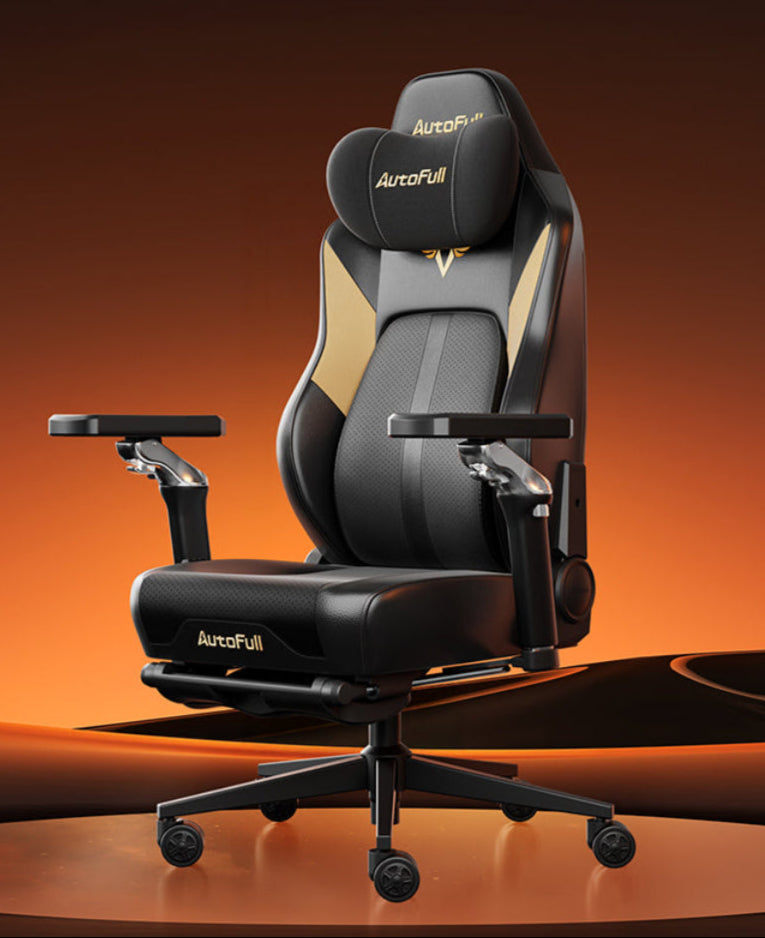


Buying a seat based solely on aesthetics is a quick path to physical discomfort. Because manufacturers base standard models on average heights and weights, a "one size fits all" approach rarely works. Choosing the right size requires matching your specific body measurements to the chair's physical dimensions. This guide details how to measure yourself, evaluate weight capacities, and select the perfect fit to prevent chronic pain and poor posture during long gaming or working sessions.

Seat Dimensions: Width, Depth, and Bolstering
The foundation of any seating posture is the seat pan. If the seat pan is incorrectly sized, the rest of the ergonomic features will not function correctly.
Flat Seat Width vs. Total Width
A standard gaming chair for adults often features aggressive side bolsters, which are the raised, angled edges on the left and right sides of the seat. While these mimic racing car seats, they can severely restrict your leg movement. When evaluating width, always look for the manufacturer's "flat seat width" measurement, not the total width from edge to edge.
If you have wider hips, standard internal metal bolsters will dig directly into your outer thighs. To avoid this, users should look specifically for plus size gaming chairs that feature flat or very shallow seat bases. A flat base allows you to sit comfortably, spread your legs naturally, or even cross your legs without hard metal pressing into your muscles.
Calculate Proper Seat Depth
Seat depth is equally critical for long-term health. This is the horizontal distance from the backrest to the front edge of the seat pan. If the seat is too deep, the front edge will press firmly into the back of your knees, which cuts off blood flow to your lower legs. If the seat is too short, your upper thighs lack support, placing excess pressure on your buttocks.
A properly sized gaming chair for adults will leave a gap of about two fingers (one to two inches) between the back of your knees and the edge of the seat when your back is resting completely flat against the backrest.
Why Backrest Height and Shoulder Support Matter
The backrest dictates your spinal alignment, from your lumbar region up to the base of your skull. Standard chairs usually have a backrest height of around 30 to 32 inches.
Aligning the Headrest
If you are over 6 feet tall, a standard 31-inch backrest will place the built-in headrest or the strap-on neck pillow awkwardly on your upper back or between your shoulder blades. This physically pushes your shoulders forward, creating a hunched posture. To fix this, you must search for a dedicated tall gaming chair. A tall gaming chair usually features a backrest of 34 inches or higher, ensuring the upper curve of the chair and the neck pillow actually support your cervical spine and the base of your head.
Shoulder Wing Width
Additionally, you must pay attention to the shoulder wings at the top of the backrest. Many gaming chairs for big guys feature intentionally widened upper backrests. If the shoulder wings are too narrow or angled too sharply inward, they will force your shoulders to round forward toward your chest, causing upper back pain over time. Gaming chairs for big guys widen this upper section to allow the chest to remain open and relaxed, ensuring your lungs can expand fully and your shoulders can rest flat against the padding.
Weight Capacity and Gas Lift Classes: Ensuring Structural Integrity
Size is not just about physical dimensions; it is heavily dependent on structural load and material engineering.
Understanding Gas Lift Cylinders
Standard chairs typically support up to 220 or 250 pounds using a Class 3 gas lift cylinder. Pushing a chair past its certified weight limit will cause the hydraulic cylinder to leak gas, causing the chair to sink randomly while you sit in it, eventually failing completely. When shopping for big and tall gaming chairs, verify that the specific model utilizes a Class 4 heavy-duty gas lift cylinder. Class 4 cylinders are manufactured with thicker steel walls and can safely support constant loads of 300 to 400+ pounds.
Wheelbase and Tilt Mechanism Strength
Structural integrity goes beyond the cylinder. Premium big and tall gaming chairs utilize reinforced tubular steel frames and solid aluminum wheelbases rather than standard nylon plastic. A wider metal wheelbase—usually 28 inches or more in diameter—lowers the chair's center of gravity. This physically prevents the chair from tipping over backward when a heavier user reclines the backrest to 160 degrees. Similarly, plus-size gaming chairs often reinforce the multi-tilt mechanism under the seat with thicker steel mounting plates. This ensures smooth, safe reclining and prevents the chair base from warping or snapping under higher weight loads.
How to Measure Yourself for the Perfect Fit
You cannot buy the correct size without knowing your exact physical dimensions. Use a standard flexible measuring tape and sit on a flat, hard dining room chair to take these three exact measurements.
Seat Width
Sit normally on the hard chair and measure the horizontal distance across your hips and thighs at their absolute widest point. Add one to two inches to this final number to find your minimum required flat seat width. This buffer ensures your legs will not rub against the side bolsters or the armrest struts.
Seat Depth
Sit with your back completely flat against the back of the dining chair. Measure from the back of your buttocks (touching the chair back) straight forward to the back crease of your knee. Subtract one to two inches from this measurement. This final number is your ideal seat depth, guaranteeing that your thighs are fully supported without restricting blood flow at the knee joint.
Back Height
Sit up straight and measure from the flat seat base vertically up to the base of your skull. Compare this number to the backrest height listed on the manufacturer's website. If you are specifically looking for a tall gaming chair, ensure the chair's backrest is at least one inch taller than this measurement so your head is fully supported when leaning back. Using these exact numbers guarantees that the gaming chair for adults you purchase will fit your exact anatomical proportions.

The Risks of an Ill-Fitting Chair: Poor Posture and Circulation Issues
Ignoring sizing guidelines leads to immediate physical consequences that degrade your health and gaming performance.
The Dangers of a Chair That is Too Small
If a chair is too narrow, the hard steel frame hidden inside the side bolsters will press directly into the outside of your thighs and hips. This pressure compresses the sciatic nerve running down your legs, leading to leg numbness, tingling, and chronic lower back pain. If the weight capacity is ignored, the foam padding will "bottom out," meaning the foam compresses completely, leaving you sitting on the hard metal base plate. Properly sized plus size gaming chairs utilize high-density cold-cure foam that compresses just enough to relieve pressure points without bottoming out against the frame beneath.
The Dangers of a Chair That is Too Large
Conversely, if a chair is too large for your body, the ergonomic features become useless. If the seat is too deep, you will naturally slide your hips forward to let your knees bend, which pulls your lower back away from the backrest. This forces your lumbar spine to collapse into a "C" shape, accelerating spinal disc compression. This is exactly why manufacturers design specific gaming chairs for big guys; they scale the internal lumbar support curve and the foam density to match the height and weight of the user correctly, rather than just making the chair wider. If you do not fit the height requirement, the lumbar curve will push into your mid-back instead of your lower back, causing severe muscle fatigue.
Find Your Perfect Gaming Chair Size
Choosing the right size gaming chair is a technical process that dictates your long-term physical health. By accurately measuring your hip width, thigh length, and back height, you avoid the physical hazards of restrictive bolsters and improper lumbar placement. Always verify the weight capacity, the wheelbase material, and the gas lift class to ensure structural safety. Investing the time to find a chair that matches your exact physical dimensions guarantees lasting comfort and optimal spine support during your longest sessions.
FAQs about gaming chair sizing
How do I know if a gaming chair is big enough for me?
You must compare your physical measurements to the manufacturer's specifications. Measure your hip width and ensure it is at least one inch smaller than the chair's "flat seat width." Measure from your waist to the base of your skull to ensure the backrest height is tall enough to support your head.
What is the difference between a standard chair and a big and tall gaming chair?
A big and tall gaming chair features a wider, flatter seat base without restrictive side bolsters, a taller backrest (often 34 inches or more), and structural upgrades. These upgrades include a Class 4 heavy-duty gas cylinder and a reinforced aluminum or steel wheelbase to support weights exceeding 300 pounds safely.
Why do my legs fall asleep in my gaming chair?
Your legs fall asleep because the seat depth is too long, causing the front edge of the seat to press into the back of your knees, which cuts off circulation. Alternatively, the seat width may be too narrow, causing the side bolsters to pinch your outer thighs and compress your sciatic nerve.
Can a gaming chair be too big?
Yes. If a chair is too big, the ergonomic support fails. If the backrest is too tall, the neck pillow will sit above your head. If the chair is designed for a heavier person, the high-density foam may feel as hard as a rock to a lighter person because they do not have the mass required to compress the padding.


